For restaurant owners who never had time to build a website
Turn the link in your bio into a real digital menu.
Photograph the printed menu, or import the PDF you already have. Five minutes later you have a menu a diner can actually read — and the same address is a full website.
No card. No website to build. You will not type a single dish.
buenpro.com/app
60-second overview.
Here’s a quick breakdown of what Buenpro is, who it is for, how it works, and why it was built.
01 What this is
A tool that builds your digital menu and your website.
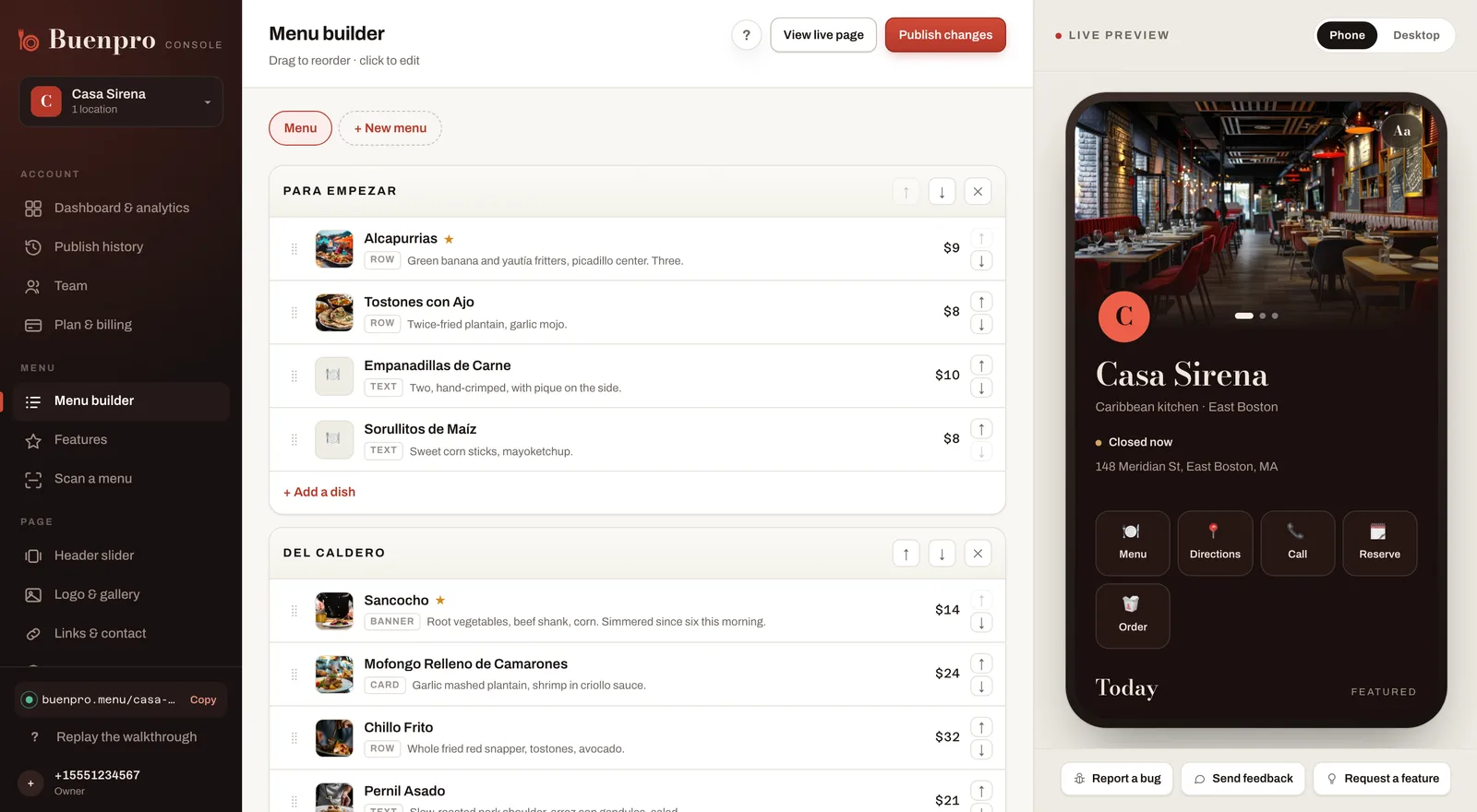
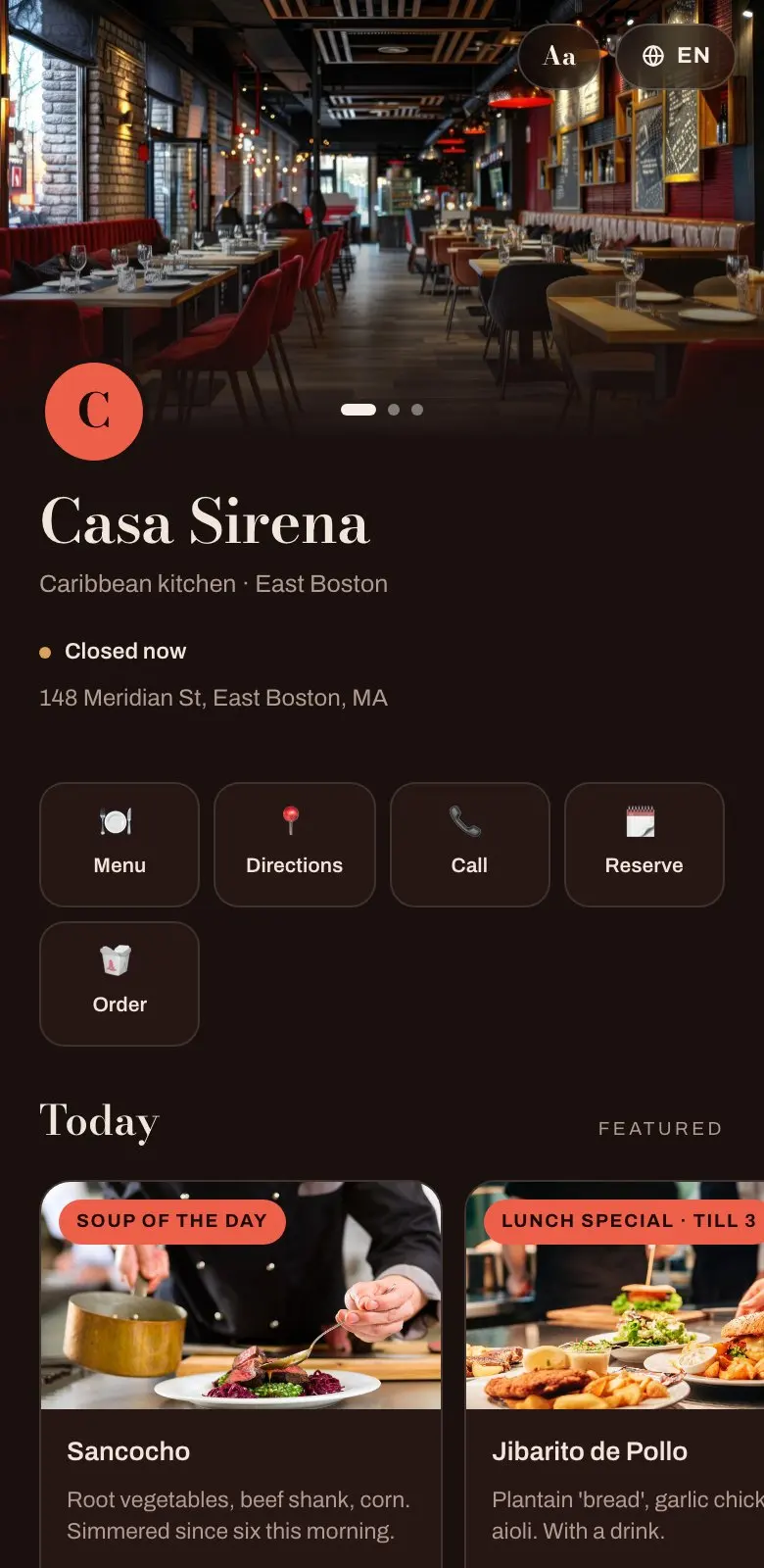
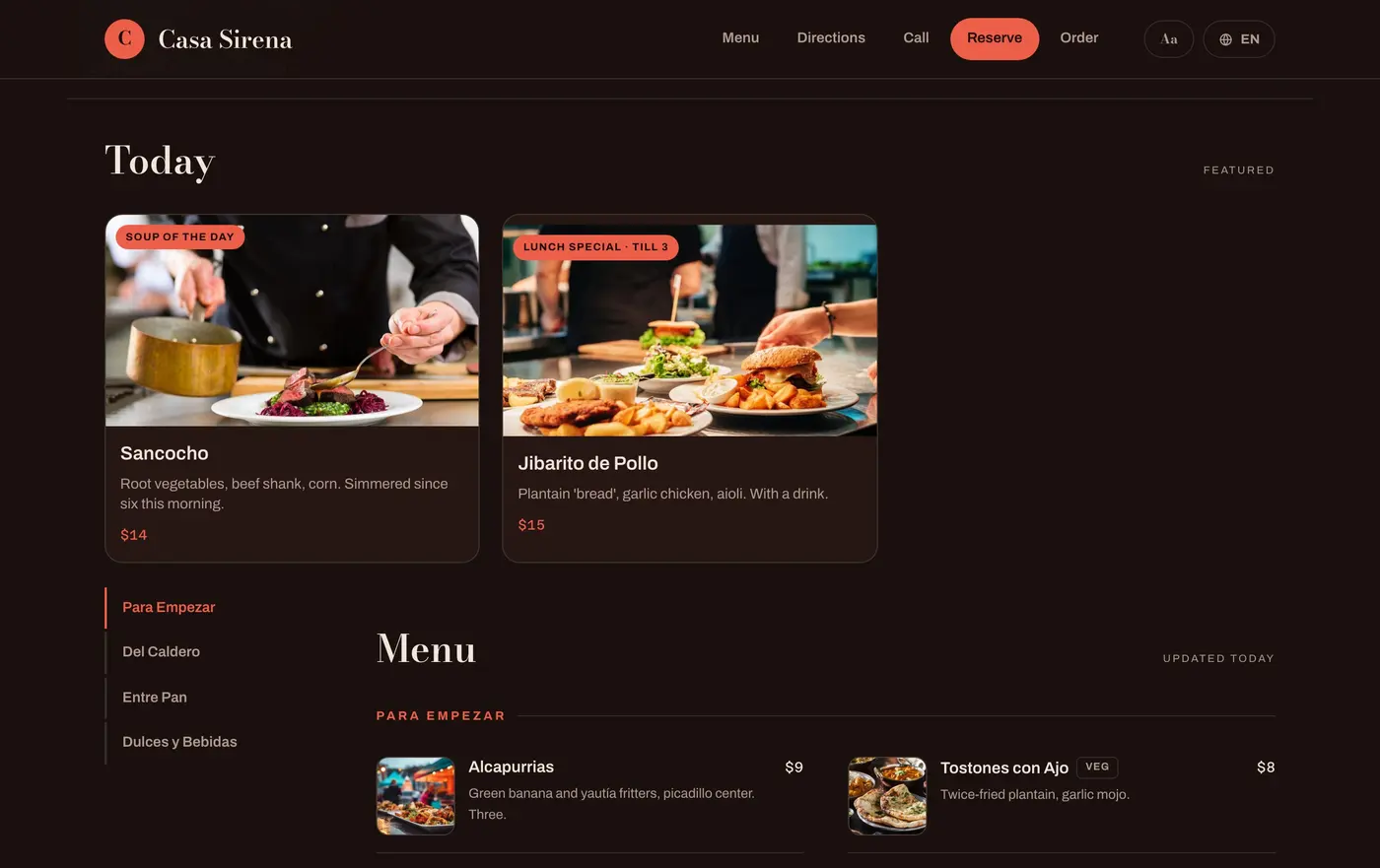
Buenpro turns the menu you already have — a photograph of the printed one, or the PDF you email out — into a digital menu built for the phone it will be read on. The same address, opened on a laptop, is a full website: hours, photographs, directions and a button that books a table.
Restaurants whose website is a social profile or a PDF.
If somebody looks you up and the website link goes to Instagram, Facebook or a PDF that opens sideways, this is for you. Buenpro replaces both — the link in your bio and the website on your Google listing — so what a customer opens is a menu they can actually read.
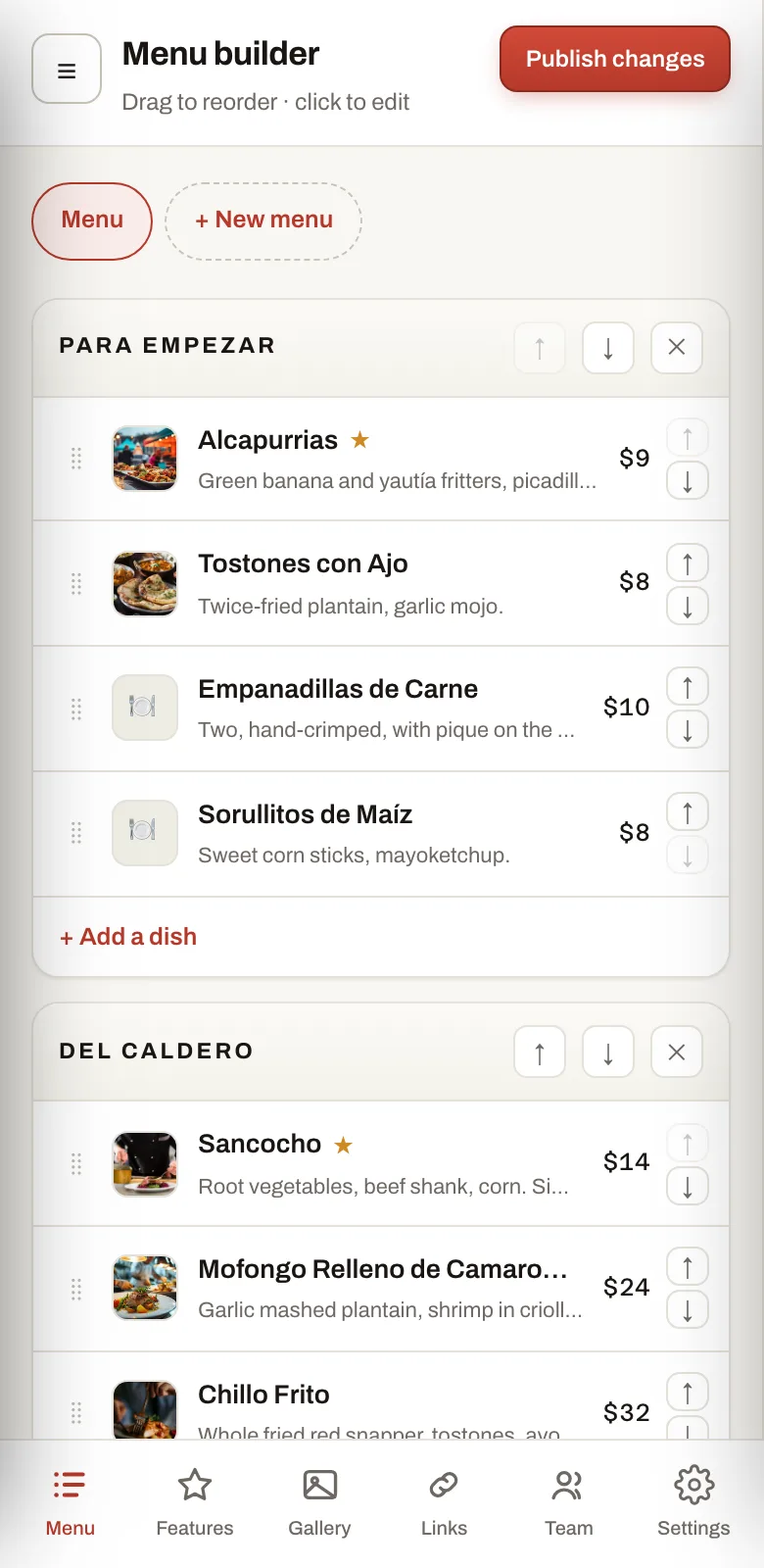
Make an account with a phone number, then hand it a photo of the printed menu or the PDF you already email out. Every dish, price and description comes back as a list you correct rather than type. Pick a palette, add photographs, press publish — then run it from your phone: the specials, the gallery, a price changed between services.
Nobody opens a restaurant to build a website. It is a week of work, a quote, and somebody who stops answering — so it never happens, and the menu stays a PDF from 2022. Buenpro removes the week. You photograph a menu you already have, and the rest is done for you.
Hungry, at nine at night, on somebody else’s phone.
They found you. Now they want one thing: to see the food and know you are open. What they get is a wall of photographs with no prices on it, or a PDF from 2022 that opens sideways at six-point type.
And somewhere in there it stops being about the menu. A page nobody has touched in three years does not read as a restaurant that is busy — it reads as one that might be closed. They cannot see your food, so they cannot trust it, so they eat somewhere they can.
Before · what your diners see today
412posts3.1kfollowers
casasirena_eastboston
Caribbean kitchen · East Boston
linktr.ee/casasirena
Social mediaPretty, and no help. No prices, no hours, no dish names — and the last post about the menu was a Tuesday in 2023.
menu-final-v3-2022.pdf
page 1 of 2
A PDFFour columns of six-point type, sideways. Pinch, drag, zoom, lose your place, give up.
→
After · what they find instead
BuenproOne tap. The food, the prices, the fact that you are open tonight, and the button that calls you.
Create your digital menu and website in under five minutes.
No quote. No deposit. No cousin who does websites and stopped answering. You will not type a single dish — the longest part is finding a clean copy of your own menu.
01
Make an account
A phone number and a code. No card, nothing to install, nobody to call.
02
Hand it the menu
A photo of the printed one, or the PDF you already email out. Crooked and folded is fine — every dish and price comes back as a list.
03
Make it yours
Pick a palette and a layout, add photos to the dishes worth one, point your own domain at it. All of it optional, all of it changeable later.
04
Press publish
The link goes live and never changes. Put it in your bio, in your posts, on the table, in the ad — it is a full website from that moment on.
Most people are looking at their own menu inside five minutes.
Step four, whenever you like
It should look like your room.
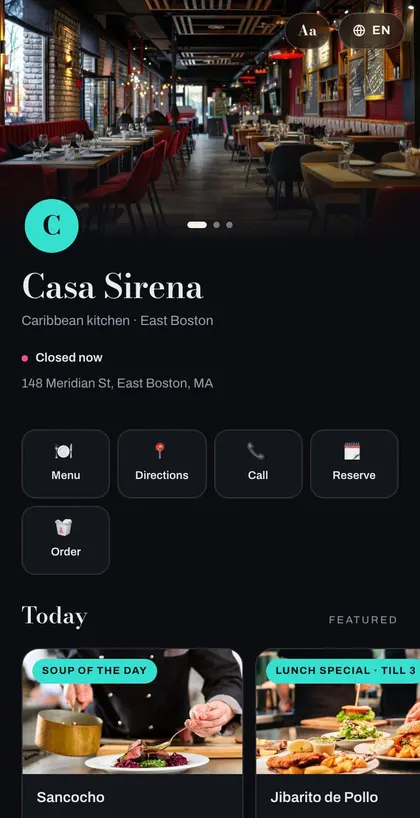
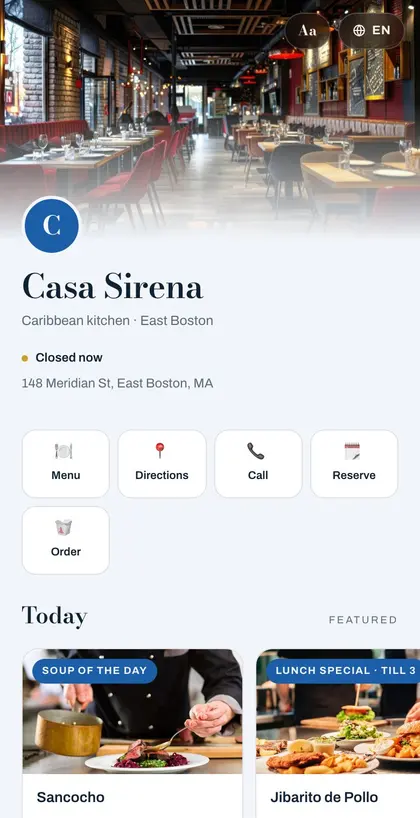
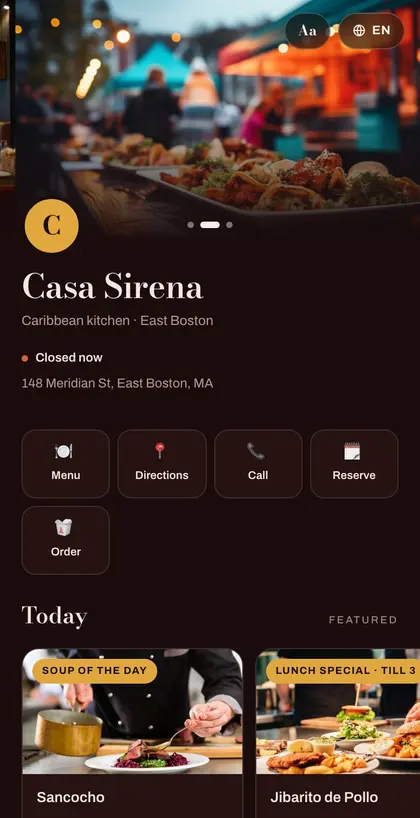
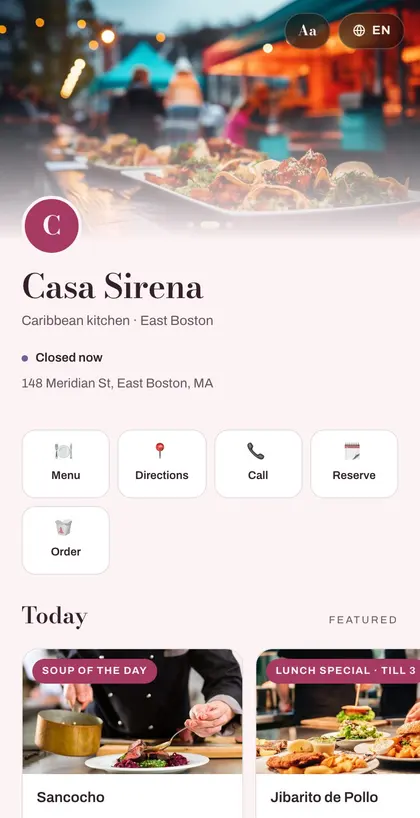
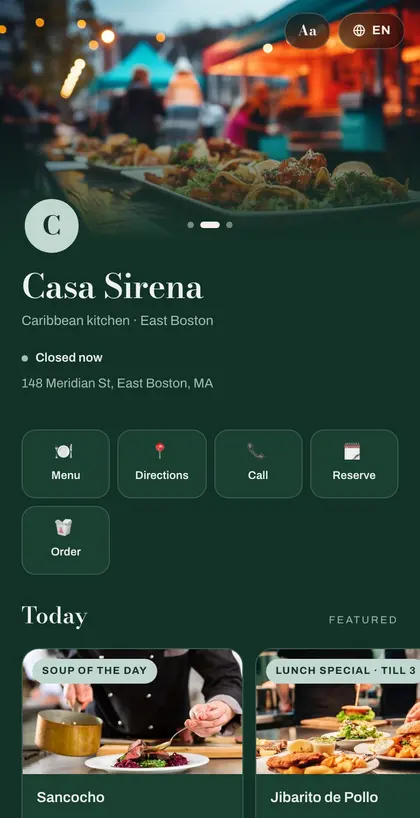
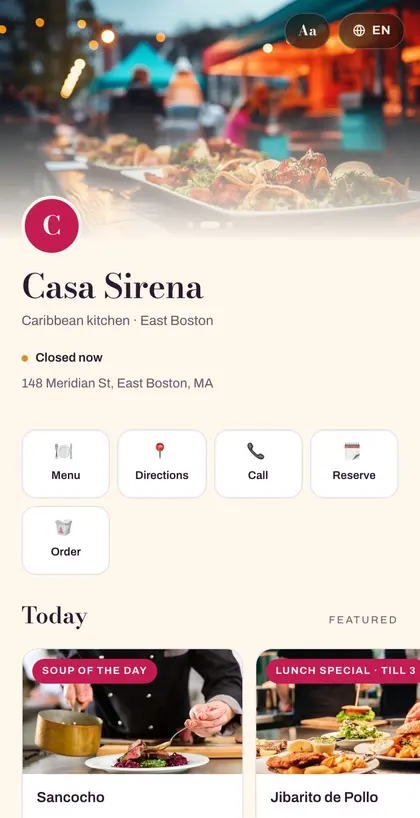
A taquería and a wine bar should not have the same page. Pick a palette and the whole thing changes at once — the type, the cards, the buttons, the photographs. Same menu, six of the nineteen, below.
Arcade
Azul
Lacquer
Meringue
Bottle
Mercado
And when you are ready, point your own domain at it. casasirena.com, with your name in the address bar — the same page, now indisputably a website. Two records added, none removed — your email keeps working.
Pick a palette now or never — the page works either way.
Enhance the link in your bio
You are already doing the hard part.
The posts, the photographs, the replying at eleven at night — that is the work, and all of it funnels through one link. This is the thing that link should open: a page that loads in under a second and answers the only four questions anybody has.
And the same address, on a laptop, is a website. Not a phone page stretched wide — the layout changes.
What the food looks likeWhat is on the menuWhether you are openHow to call, book or get there
What you get
Everything you truly need.
No tiers to work out, nothing switched off until you upgrade. This is the product.
A photo or a PDF
Point your phone at the printed menu, or drop in the PDF you already email out. Every dish and price comes back as a list you can edit.
A photo on every dish
Add one, swap it, drag it somewhere else. The dishes people order because of the picture are the ones worth a picture.
Sold out, from the pass
Snapper gone at seven? Mark it and publish — two taps from the phone in your apron. It greys out rather than vanishing, so diners can see you normally have it.
Today’s features, on and off
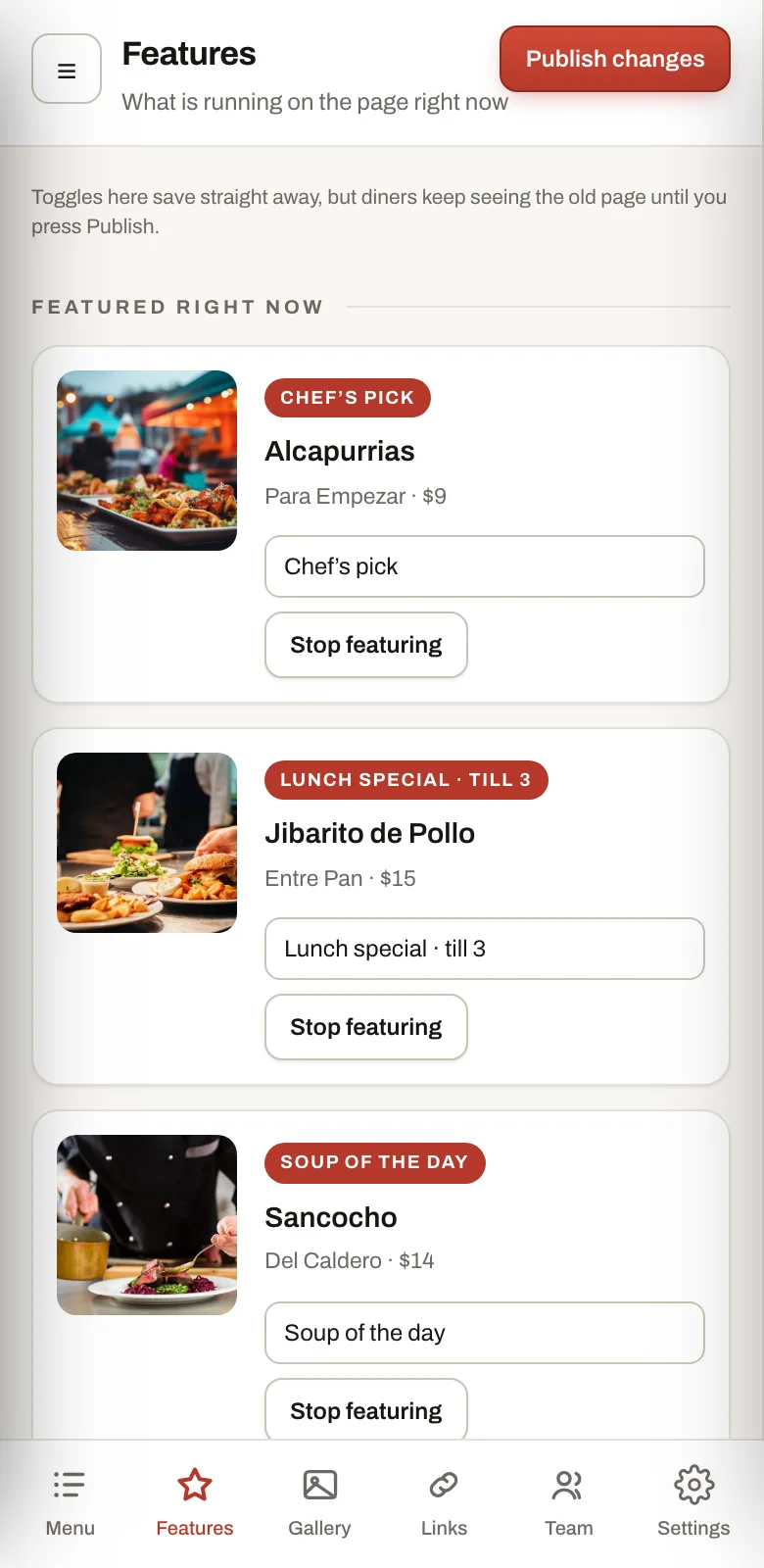
Soup of the day up at four, lunch special down at three. A switch each, and the whole thing takes under a minute.
Run it from your phone
The entire console works on a phone. Change a price standing at the pass, between tables, without going to the office.
Your menu in their language
Turn a language on and the whole menu is translated. Diners pick, and the page remembers which one they chose.
Bigger type, on request
A diner can grow the text on your page. Nobody has to hold a phone at arm’s length to read a price.
Hours, and everything else
Open or closed right now. Phone, directions, reservations, delivery links, parking notes — all in one place.
Made to look like you
Nineteen palettes and four header layouts. Pick until it looks like your room, not like a template.
A QR for the table
Print-ready, in one click. It points at an address that never changes, so the code never stops working.
Your own domain
casasirena.com, if you have one. Two records added, none removed — your email keeps working.
Who is looking
How many people opened your menu, what they tapped, and which links they used.
Not a cut-down companion app — the same console, every screen of it, in the browser you already have. Nothing to install, nothing to update, no password to remember. You sign in and change what needs changing.
Which is the point at seven on a Friday, when you are at the pass and the snapper has just run out. Nobody is walking to the office for that.
A price, changed between servicesA dish marked sold outToday’s special, on and offA photo you just took, on the dish
If the first column sounded like you, this takes five minutes.
Pricing
Less than one plate a week.
Start free and stay free for as long as you like. When you want your own domain, your own languages and the Buenpro mark gone, it is twenty dollars a month.
Free
$0
One restaurant, one menu. For as long as you like.
A group with its own brand, its own standards and its own way of working does not want a theme picked from a list. This is the version built around you — and the price depends entirely on what that turns out to be.
Every location you haveNo cap, one account, one login.
One place for all of themEvery restaurant side by side, with the numbers next to each other.
Designed, not themedThe guest page and the menus drawn for your brand — phone and desktop.
Your console, your domainThe tool your managers open every day, at your address and under your name.
Buenpro out of the wayNo mark anywhere a customer or a manager can see it.
Ten people on the accountOwners, managers and staff, across every location.
Two features built to your briefWhatever the group actually needs that the product does not do yet.
Compare the plans line by line
Free
Buenpro
Group
Locations
1
1
Up to 3
Menus per location
1
Unlimited
Unlimited
Dishes
Unlimited
Unlimited
Unlimited
Menu scans
5 a month
Unlimited
Unlimited
Your address
buenpro.menu/you
Your own domain
Your own domain
Buenpro mark
Shown
Removed
Removed
Themes
5
All 19
All 19
Header
Classic
All 4, plus the slider
All 4, plus the slider
Dish layouts
Row, Text
Row, Text, Card, Banner
Row, Text, Card, Banner
Dish photos
6
Unlimited
Unlimited
Languages
1
6, translated for you
6, translated for you
Buttons
Menu, Directions, Call
Plus Reserve, Order, links
Plus Reserve, Order, links
Featured dishes
1
Unlimited
Unlimited
Analytics
Views this month
Everything, no cookies
Everything, no cookies
People on the account
1
3
3
Export your data
Yes
Yes
Yes
Stop paying and your page stays up. The paid extras switch off and the Buenpro mark comes back — the link in your bio and the QR code you printed keep working. No per-table fees, no per-order fees, no commission.
What Buenpro does, what it deliberately does not, and what happens to your page on the day you stop paying for it.
Getting started
Do I need a website already, or somebody to build one?
No. You need the menu you already have — a photograph of the printed one, or the PDF you email out. Buenpro reads it and builds the page from it. There is nothing to install, nothing to host and nothing to design.
How long does it really take?
About five minutes, and most of that is you checking the prices. Sign in, upload the menu, read what came back, publish. You will have a link to send somebody before your coffee goes cold.
What if it reads a price wrong?
You see everything before a diner does — nothing is live until you press Publish, and correcting the scan is typing over it. If you re-scan months later, your photos, layouts and featured dishes carry across to every dish whose name still matches, so a fresh scan never quietly wipes a year of food photography.
Do my diners need to download anything?
No. It is a web page. They tap the link in your bio, or point a camera at the code on the table, and the menu is there — no app, no account, and no cookie banner in the way of somebody who just wants to know what the soup is.
What it is, and what it is not
Is this a menu, or a website?
The same address is both. On a phone it is a menu built for a thumb. Opened on a laptop it is a full site — hours, photographs, directions, your number and a button that books a table. One link to keep current instead of two.
Do you take a commission on orders?
No, and there is nothing to take one from: Buenpro never touches a transaction. No per-table fee, no per-order fee, no commission, and no charge per scan. The Order and Reserve buttons point at whatever you already use — and your own direct ordering is listed first, above the delivery apps taking fifteen to thirty per cent.
Does it replace my booking system or my POS?
No. It sends people to them. Buenpro is the page in front of your restaurant, not the software behind it, so if reservations already work for you this puts a button on them and otherwise stays out of the way.
Can I add a blog, a shop and a newsletter signup?
No, and that is deliberate. This is a menu and a page about your restaurant, done properly — not a website builder that can do anything and asks you to decide everything. If what you want is a site with a blog and a shop, Buenpro is the wrong tool, and it would rather say so here than after you have paid for it.
Running it
The fish is gone. How fast can I take it off?
Two taps from the phone in your apron: mark it sold out, then publish. It greys out on the live page rather than vanishing, so a diner can see it is something you normally have. Whoever is on the floor can do both without your login — the staff role covers sold out, the day’s specials, and publishing those, and nothing else.
Do I have to print a new QR code when the menu changes?
Never. The code points at your address, not at a version of your menu, and that address does not change — not when you edit, not when you republish, not if you connect your own domain later. Print it once and put it on the table.
Can somebody else help me keep it updated?
Yes, on the paid plans, which hold three people including you. An owner sees everything including the bill; a manager can edit the menu, the photos and the look and publish them, but never sees billing; staff get the sold-out and specials screen only. Free is a single login, and Enterprise holds ten.
Can I use my own domain — and will my email still work?
Yes, and yes. We only ever ask you to add two records to your DNS: an A record and a CNAME. Nothing is removed, nothing is changed, and you are never asked to move your nameservers — so the mail on that domain keeps arriving exactly as it does today. Your buenpro.menu address goes on working too, redirecting to the new one.
Money, and what happens if you stop
Is there really no card for the trial?
No card. Fourteen days with everything unlocked, and the clock starts when your menu is first read rather than when you sign up — so a week spent hunting for a clean copy of your own menu does not cost you the trial.
What happens if I cancel, or a card fails?
Your page stays up. It is the one rule this product will not break: a published page never goes offline over money. The account goes back to Free — the theme returns to Ember, extra languages switch off, the Buenpro mark comes back, and your own domain unlinks and keeps redirecting. Nothing is deleted. Your photos, languages and dishes are exactly where you left them, and turning it all back on is one click. If a payment fails, Stripe retries for two weeks and nothing changes while it does; you hear from us on day one, day seven and day fourteen.
What about diners who do not read English?
The paid plans carry six languages, translated for you, and the page opens in the one the diner’s phone is already set to. Edit the English later and the translations of that text are marked stale rather than left alone — an old Spanish description beside a new price is worse than no Spanish at all.
Can I take my menu with me?
Yes, on every plan including Free. Export it whenever you like, and cancel with a button in your account rather than an email you have to write and then wait on.